
If you run Google Ads and have GA4 linked to your account, something changed last month that most businesses have not noticed yet. On June 15, Google quietly shifted how advertising data flows between Google Analytics 4 and Google Ads. No fanfare, no pop-up warning inside the platform. Just a structural change that, if your account is not set up correctly, could mean you are already losing data without knowing it.
This is the kind of change that slips under the radar until you notice your remarketing audiences shrinking or your campaign data not adding up. Here is what actually changed, what it means for your ads, and the specific things worth checking in your account right now.
What Google Actually Changed
Before the update, two settings shared responsibility for controlling how Google Ads cookies and user IDs were collected through your GA4 tag. Google Signals handled one side of it, and Consent Mode’s ad storage parameter handled the other. If one was not configured properly, the other acted as a fallback. It was a dual system, and for a lot of accounts, Google Signals was quietly doing heavy lifting in the background.
That fallback is now gone. Here is a plain-language breakdown of what shifted:
| What Changed | Before | After |
| Google Ads data collection via GA4 | Controlled by Google Signals or Consent Mode, whichever was active | Controlled only by Consent Mode ad storage in Google Ads |
| Google Signals role | Managed both Ads data and signed-in user reporting | Now only handles signed-in user association for GA4 behavioural reporting |
| Ads personalisation | Managed inside GA4 across account, property, and event settings | Moving to Google Ads entirely later in 2026 |
| IP addresses from Google Tag | Passed through GA4 | Encrypted and routed directly to the linked Google Ads account |
In Google’s own words, the intent is straightforward: Google Ads settings will exclusively control Google Ads data, and Google Analytics settings will exclusively control data used within Google Analytics for behavioural reporting, two separate lanes, clearly defined.
Google Signals has not disappeared, but its role has narrowed. It now only controls signed-in user association for behavioural reporting inside GA4 itself, things like cross-device journeys, demographics, and interest data. It no longer has any say over what flows to Google Ads.
What This Actually Means for Your Campaigns
The reason this catches businesses off guard is that the old system was forgiving. If your Consent Mode setup had gaps, Google Signals would often cover for them. You might not have even known the gap was there, because the data kept flowing.
That grace period is over. <cite index= “1-2”>Any site running a loose Consent Mode implementation will silently lose advertising data from the day of the switch. </cite> No error message, no notification, just a quiet drop in the data your campaigns are optimising against.
There is also a real audience-size implication. <cite index= “1-2”>Remarketing audiences in GA4 that relied on Google Signals for cross-device reach will now only include users who explicitly granted ad_storage via Consent Mode. </cite> If your consent banner is ambiguous, or if users have been declining ad storage at higher rates than you assumed, your remarketing lists will now be smaller than they were. That directly affects how efficiently your Google Ads campaigns can target and convert.
For businesses running paid media through us, this is the kind of shift that makes a difference to cost per acquisition over time. It is not dramatic overnight, but it compounds.
What Google Signals Still Does (And Does Not Do)
This is worth clarifying because there is some confusion in the market about what Google Signals is for now.
Keeping Google Signals enabled is still worthwhile if you want cross-device behavioural data inside GA4, things like seeing how a user moved from mobile to desktop before converting. It also still supports demographics and interest data within GA4 reporting.
What it no longer does is act as any control point for Google Ads. That job now belongs entirely to Consent Mode. If your Consent Mode setup is solid, Google Signals becomes a useful supplementary layer. If your Consent Mode setup has holes, Google Signals cannot help you fill them anymore.
What to Check in Your Account
If you have not looked at this yet, here is where to focus your attention.
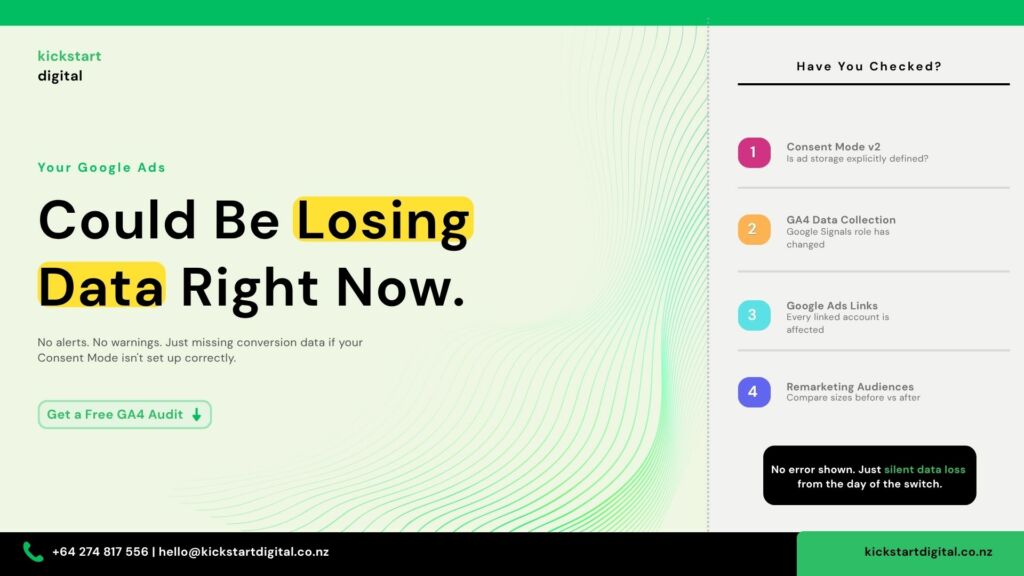
Your Consent Mode setup. This is the most important check. Confirm that your consent banner is properly configured for Consent Mode v2 and that ad storage, analytics storage, and ad personalisation parameters are all explicitly defined. If you use Google Tag Manager, verify that these settings fire correctly when a user loads the page and when they change their consent preference. If anything is missing or misfiring, your Google Ads data collection is affected right now.
Your GA4 data settings. Head to GA4 Admin, then Data Collection. Note whether Google Signals is enabled. You can keep it on for GA4 behavioural reporting purposes, but understand that it is no longer doing anything for your Google Ads data. The decision about whether to leave it on should be based purely on whether you want those GA4 reporting features.
Your Google Ads links. In GA4, go to Admin, then Product Links, then Google Ads Links. Every linked account has been subject to this change. If you manage multiple Google Ads accounts linked to the same GA4 property, each one needs to be checked.
Your remarketing audiences. In GA4, go to Admin and then Audiences. Any audience that referenced cross-device behaviour through Google Signals will now only include users who have explicitly consented to ad tracking. Compare your audience sizes from before and after the change. If the numbers dropped noticeably, that is your real consent capture rate showing up for the first time.
Your consent banner. If it has not been updated for Consent Mode v2, that is the first thing to fix. Test it in both “accept all” and “reject all” scenarios using Tag Assistant and confirm the right parameters are firing in each case.
This kind of audit is something we work through with clients as part of our Google Ads management in Auckland. Getting the data foundation right is what makes everything else in paid media perform properly.
What About Conversion Tracking?
One point worth clearing up: conversion tracking itself has not changed. <cite index= “1-2”>If you implement Google Ads conversion tracking directly through the Google Ads tag rather than the GA4 tag, this change does not affect you.</cite> What changed is specifically how Google Ads cookies and IDs are collected when you are using the GA4 tag as the collection mechanism.
If you are unsure which setup your account uses, a quick check inside Google Tag Manager or with a developer will tell you. It is worth knowing either way.
More Changes Still Coming
This recent shift was not the end of it. Google has flagged two further changes coming later in 2026, though exact dates have not been confirmed yet.
Ad personalisation settings are moving out of GA4 entirely and into Google Ads. Once that happens, your consent settings inside Google Ads will be the sole control for personalisation in linked accounts. Separately, IP addresses collected by the Google Tag will be encrypted and routed directly to the linked Google Ads account rather than passing through GA4 first.
Both of these changes reinforce the same direction: Google is drawing a clear line between what GA4 controls and what Google Ads controls. Getting your consent set up right now puts you in a clean position when the next phase rolls out, rather than scrambling to catch up.
Keeping up with changes like these is part of what we do through SEO and digital marketing for our clients, so that when something shifts in the platform, there is already a baseline to compare against and a clear picture of what moved.
The Broader Point
Google has been tightening the rules around data and consent for a few years now. The phasing out of third-party cookies, the push toward Consent Mode v2, and now this consolidation of GA4 and Google Ads controls are all part of the same pattern. The platforms are becoming stricter, and the gap between businesses with clean data setups and those without is widening with every change.
The businesses that handle this well are not the biggest or most technically sophisticated. They are simply the ones that stayed on top of the changes and had someone in their corner flagging what mattered.
If you are not confident that your GA4 and Google Ads setup is working the way it should, that is worth addressing sooner rather than later. Every week your data is incomplete is a week your campaigns are making decisions on incomplete information.
FAQs
Does this affect every GA4 account?
Only accounts that are linked to Google Ads. If your GA4 property has no Google Ads connection, your data collection and reporting are unaffected.
Will my Google Ads conversion tracking stop working?
No. Conversion tracking itself has not changed. What changed is specifically how data is collected through the GA4 tag when it is linked to Google Ads. If you run conversion tracking directly through the Google Ads tag, you are not affected.
Do I still need Google Signals turned on?
Only if you want cross-device behavioural data inside GA4 for reporting purposes. It no longer plays any role in your Google Ads data flow, so the decision is purely about what you want to see inside GA4 itself.
How do I know if my consent setup is working correctly?
The clearest sign is comparing your remarketing audience sizes before and after the change. A noticeable drop usually means your consent capture rate was lower than you thought, and Google Signals was previously filling the gap.
What should I do if I am not sure where to start?
If you would like us to review your Google Ads and GA4 setup or run a broader digital marketing audit, the Kickstart Digital team works with businesses across New Zealand to make sure their paid media is built on solid foundations. Reach out, and we can walk through what we are seeing in your account.